Digital Sovereignty as a Designer

I grew up as a Linux kid - but even Windows felt so customizable back then. The 2000s felt free. We weren't just users; we were tinkerers, skins-creators, and local-storage hoarders.
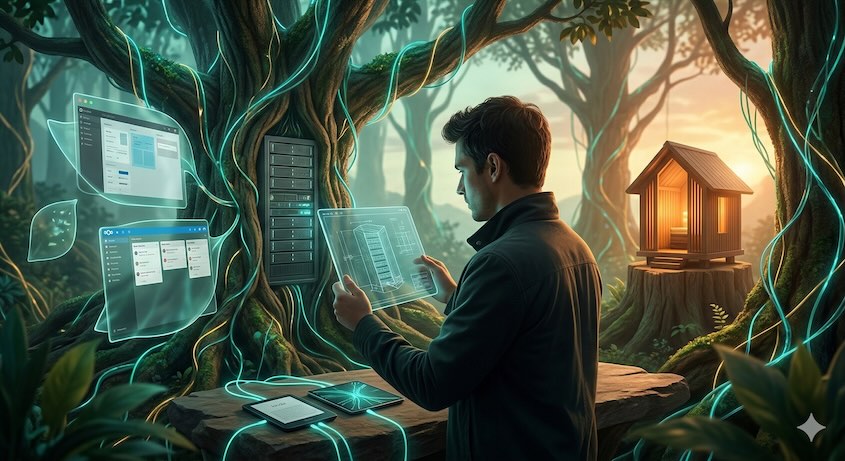 Co-created with AIAbout this imageThis image was co-created with the help of generative AI, with human direction and curation. It is labelled to be transparent about AI-assisted content, in line with the EU AI Act's transparency obligations.Learn more
Over the last decade, that landscape shifted into a 'walled garden' fever dream. My creative life became fragmented across proprietary silos - Google Workspace, Figma, Apple - where I was a tenant, not an owner. I found myself paying a monthly rent for the privilege of accessing my own ideas, while my attention was taxed by the constant friction of jumping between closed ecosystems.
"To design is to be 'in charge' - to be the architect of an experience. But how much authority do we actually have when our entire digital existence is hosted in a controlled environment we didn't build and don't own?"
This year, I decided to wake up and plant my own garden.
I migrated my entire digital existence to a self-hosted Nextcloud instance. The shift wasn't just about moving files; it was about regaining ownership, knowledge, independence, and focus.
The Designer’s Migration: From Tenant to Architect
As designers, we often ignore the "Friction Tax" of proprietary tools because they are polished. But when our data is fragmented across services, we lose the ability to act independently.
My journey this year has been about consistent transitions. Inspired by Digital Independence Day, I’ve adopted a simple rule: on the first Sunday of every month, I transition one service or tool to a sovereign one.
So far, my stack has evolved significantly:
Disclaimer: I have nothing against paying for quality tools—everyone deserves to be compensated for their work. But in the modern landscape, we've traded our independence for convenience. I’m shifting back to a model where I own my workflow, rather than just renting it.
| Category | Proprietary (Before) | Sovereign (Now) |
|---|---|---|
| OS | iOS | Android (better would be GrapheneOS or actual Linux) |
| Photos | Google & Apple Photos | Nextcloud Photos with AutoSync on Android |
| Storage | Google Drive, OneDrive, iCloud | Nextcloud |
| Office | MS Office / Google Workspace | Nextcloud Office |
| Productivity | Notion / Trello / MS Tasks | Nextcloud Deck |
| Podcasts | Apple Podcasts / Spotify | AntennaPod |
| Music | Apple Music / Spotify | Nextcloud Music |
| Passwords | Apple Passwords | Keepass hosted on Nextcloud |
| Design | Figma / Adobe XD | Penpot - alternative to Figma, currently testing it for personal / freelance projects QuantUX - Been using it for a while, great for data-driven prototyping / testing |
| Reading | Amazon Kindle Ecosystem | KOReader + Syncthing + VPS |
- Nextcloud now serves as my unified hub for files, contacts, and cards.
- Moving away from scattered services eliminated the mental "switch cost," allowing for deeper focus, more intentional use of my technologies.
- By getting into open-source alternatives like Penpot, I’ve secured my workflow against vendor lock-in and unpredictable price hikes.
.. and I’m not the only one. Public services are leading the charge: The European Commission now follows an 'Open Source First' strategy, while the German state of Schleswig-Holstein is currently migrating 30,000 PCs to Linux and LibreOffice to reclaim its digital sovereignty.
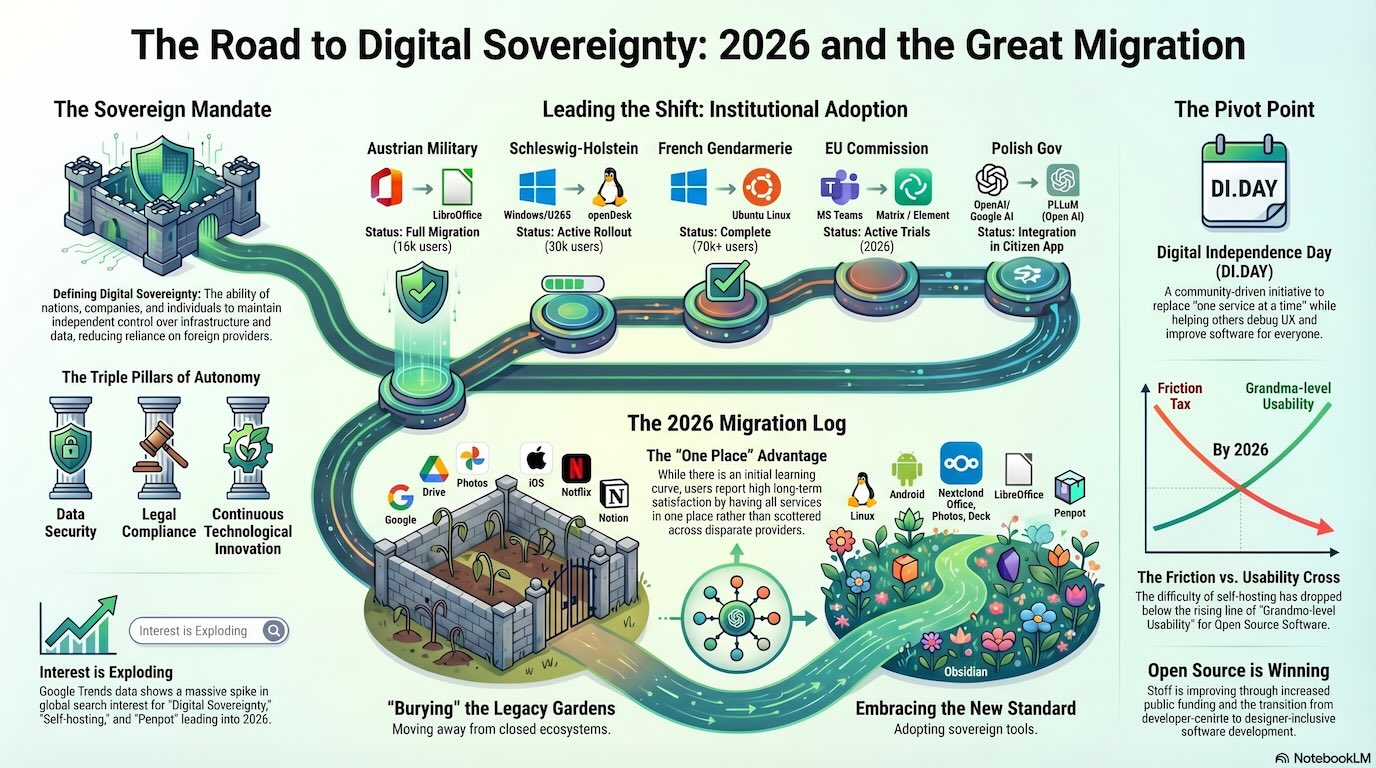 Co-created with AIAbout this imageThis image was co-created with the help of generative AI, with human direction and curation. It is labelled to be transparent about AI-assisted content, in line with the EU AI Act's transparency obligations.Learn more
Why Designers Should Contribute to Open Source
Digital sovereignty is not just a technical requirement; it is a design principle. Many open-source projects (OSS) are powerful but lack "grandparents-level usability" because they are built by developers for developers. Many tools in the open source world originated from someone who tried to fix a technical problem, not make it pretty for end users right away. This is a massive opportunity for our community.
How Designers Can Make a Difference
- The Grandparents Test: Visit your family and try to set these tools up together. If a tool doesn’t pass the "Grandparents Test," don't just walk away. Help the open source community improve it.
- Humanizing Infrastructure: We can bridge the gap between complex code and intuitive user experiences. Submit an issue on GitHub, send feedback to the developers, or offer a UI mockup. By doing so, we make sovereign tools accessible to everyone, not just the tech-literate.
- Long-term Skill Growth: Contributing to OSS allows us to shape the very tools we use, refining them to meet professional industry requirements rather than just following a vendor's roadmap.
- Democratic Design: Open-source platforms like Decidim enable publicly governed digital spaces. Designers can help build these "digital commons" for democratic discourse.
This is also a fantastic opportunity for designers to broaden their horizons and learn about "other" software beyond the mainstream products. Getting involved with open-source tools exposes you to new workflows, communities, and design challenges that you won’t find in commercial apps.
For example, the recent redesign process of Audacity is a great case study. The project team prioritized real, rigorous user testing to ensure the UI and UX make sense for everyone. As one of the most upvoted comments on Reddit put it:
"Great to see a FOSS application doing some real rigorous user testing to ensure the UI and UX make sense. We need more of that in the FOSS community - all too often that aspect doesn't get the attention it deserves. Not mentioning any specific programs.." — Reddit
AI: The Tutor for Independence
The "fear" of self-hosting - managing servers and fixing broken configs - is being dismantled by AI.
- AI Assistants: I now use AI as a technical curator to navigate complex setups. It helps bridge the literacy gap by explaining terminal commands or debugging local-first software.
- No-Code Sovereignty: Tools like NocoBase or ToolJet allow designers to build internal tools visually while maintaining full data ownership on their own servers.
Low-Bar Entry: Try Managed, Then Own
Since I grew up as a "Linux kid" and deployed web projects - the console and admin tasks are pretty familiar to me and LLMs combined with available documentation have become a great guidance for complex tasks.
BUT - You don’t have to be a SysAdmin to start. Nextcloud makes it easy to try a managed hosting variant where a provider handles updates and backups. This is the perfect "test drive" for designers.
If you want even more control, you can run your own lightweight server at home using a Raspberry Pi for full physical ownership. Or, if you prefer the flexibility of the cloud, a VPS (Virtual Private Server) is a great start - these are available in nearly any country and let you host your own services without relying on big tech providers. My own setup combines both approaches for maximum resilience and independence.
If managing hardware isn't your thing, it's totally possible to host your instance on providers like IONOS or Hetzner. You can check the Nextcloud website for partnering hosters that offer simple one-click setups.
My Sunday Plan: I’m replacing one more proprietary service today. What about you? Start small. Reclaim your tools. Plant your garden.
Resources to Start Your Migration:
- Digital Independence Day: https://di.day/ - A call to reclaim your digital life, one service at a time, every first Sunday of the month.
- Nextcloud AIO: https://github.com/nextcloud/all-in-one - For a single installation that manages all your services.
- Low-tech Magazine: https://solar.lowtechmagazine.com/ - A fascinating project focusing on sustainable technology; they even host their website on a solar-powered server.
- Sovereign Tech Fund: https://www.sovereigntechfund.de/ - Supporting the invisible infrastructure of the open-source ecosystem.
- AlternativeTo: https://alternativeto.net/ - Find the next open-source replacement for your proprietary stack.
- Decidim: https://decidim.org/ - Free Open-Source participatory democracy for cities and organizations.
- Penpot: https://penpot.app/ - The first open-source design and prototyping platform.
- AntennaPod: https://antennapod.org/ - An open-source podcast manager that respects your privacy.